Docs / Capturing Traffic
The Main Window
A three-pane layout: sidebar tree, request list, and detail tabs.
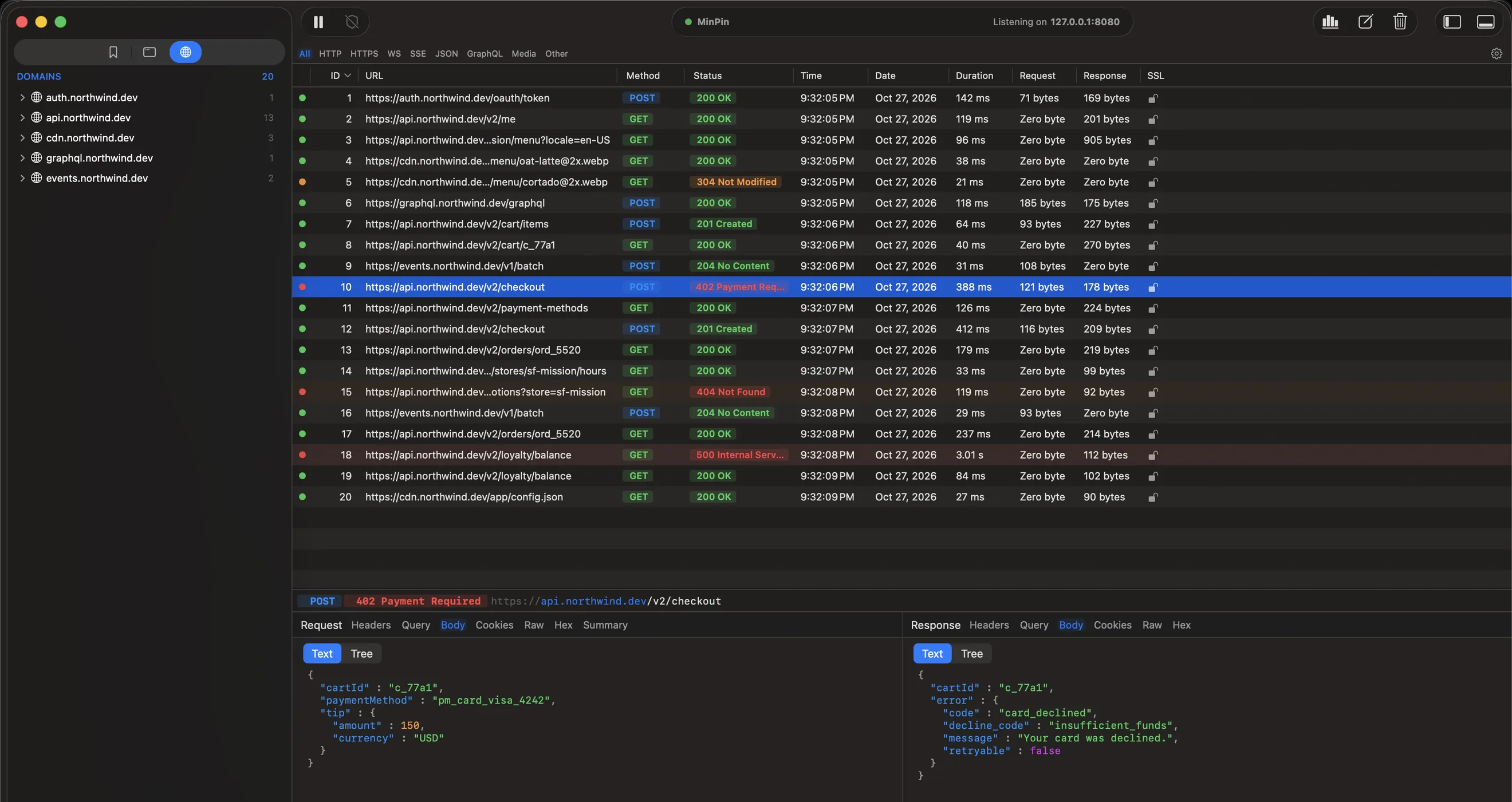
The main window has three panes:
- Sidebar (left): a tree of captured traffic grouped by Domains or by client Apps, plus a Bookmarks tab (
⌘3,⌘2,⌘1). See Filtering & Search to narrow it down. - Request list (right): every captured request with URL, method, status, client, time, size, and duration columns. Color-coded by status.
- Detail (below the list): the selected request's Request and Response side by side, each with its own tabs (WebSocket and SSE requests get a frame or event viewer). A summary bar shows method, status, and URL.
Toolbar
Record/pause, the Security dashboard, the Waterfall view toggle, Compose, clear all, and the sidebar and detail-pane toggles live in the toolbar. Breakpoints, rewrite rules, and the block list are in the Tools menu. The listening port (127.0.0.1:8080 by default) is shown in the center.
TipRight-click a request → Open in New Window to inspect it in its own window, or hide the detail pane with View → Toggle Detail Panel (
⌘⇧J).